
Lively Mobile Plus Medical Alert
An all-in-one mobile alert with GPS and 24/7 urgent response that works at home and on the go. A service plan is required; check fall detection options on the listing.
Check Price on Amazon →Related: Worried about a parent who lives alone? Read How to Keep an Elderly Parent Living Alone Safe, or, if falls happen mostly at night, Elderly Parent Falling at Night? Causes and Fixes.
Choosing the best fall detection device for seniors is one of the most important safety decisions a family caregiver can make. Falls are the leading cause of injury among older adults, and roughly one in four adults over 65 experiences a fall each year. What makes falls especially dangerous isn’t just the injury itself — it’s the “long lie,” the time spent unable to get up before anyone realizes help is needed. A fall detection device exists specifically to close that gap, automatically alerting a monitoring center or family member the moment a fall is detected, without requiring the wearer to press a button.
What Actually Matters When Choosing One
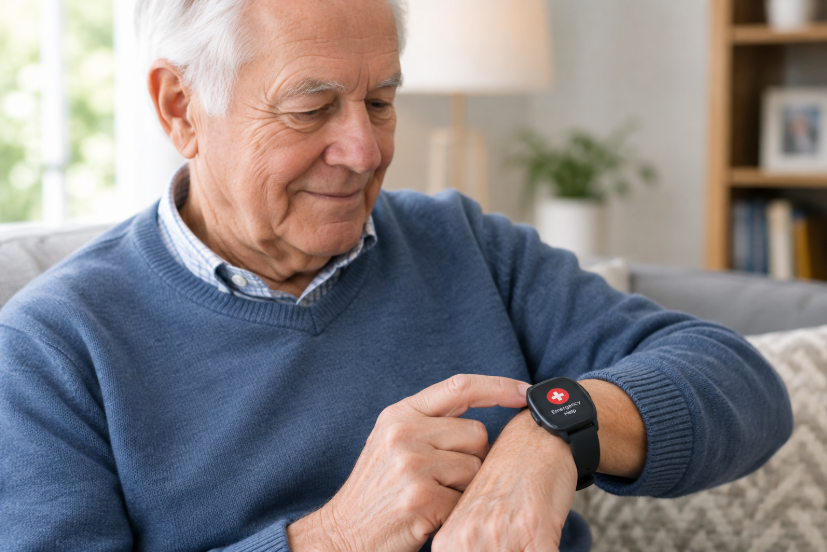
1. Automatic vs. button-press only. This is the single most important distinction. Traditional alert buttons require the wearer to consciously press for help — but a meaningful share of falls leave the person disoriented, unconscious, or unable to move. True fall detection triggers automatically from a sudden movement, without requiring any action from the wearer.
2. Detection accuracy. No fall detection system is perfect. Independent testing organizations have found top providers detect the majority of real falls, but false alarms (triggered by activities like sitting down quickly or vigorous movement) do happen occasionally. A system with a reasonable balance — high real-fall detection without constant false alarms — matters more than a headline “99% accurate” claim.
3. Response time. Independent 2026 testing found response times across major providers averaging in the range of 48-62 seconds from detection to a live monitoring agent — worth asking about directly, since this varies by provider.
4. In-home range vs. on-the-go (cellular/GPS). In-home systems only work within range of a base station (often 400-1,400+ feet), while cellular/GPS devices work anywhere there’s cell coverage — important if the user regularly leaves the house alone.
5. Waterproof rating. A significant share of falls happen in the bathroom or shower. Confirm the specific device (not just the brand generally) is rated for water exposure, not just “splash resistant.”
6. True cost, not just the advertised monthly rate. Most providers charge a separate one-time equipment fee (commonly $149-200) plus a monthly monitoring fee, and fall detection itself is frequently a $10/month add-on rather than included by default. Calculate a realistic first-year total, not just the advertised starting price.
Comparison at a Glance
Budget On-the-Go Pick: Lively Mobile Plus GPS — Check current price on Amazon → — Affordable mobile fall detection with optional monitoring subscription.
| Device/Provider | Type | Equipment Fee | Monthly Cost | Fall Detection | Best For |
|---|---|---|---|---|---|
| Medical Guardian MGMini | Cellular pendant, on-the-go | $149.95 | $39.95 + $10 add-on | Yes (add-on) | GPS tracking, discreet wear |
| Bay Alarm Medical In-Home | Base unit + pendant | Often free-leased | From $27.95 | Optional add-on | Lowest-cost option, no contracts |
| Apple Watch (SE 3 or newer) | Consumer smartwatch | Cost of watch | iPhone/cellular plan required | Yes, built-in | Users already comfortable with smartwatches |
| Lively Mobile2 | Cellular, on-the-go | $79.99 | $24.99 + add-on | Optional add-on | Budget-friendly mobile option |
Pricing based on published 2026 rates and fluctuates — always verify current pricing directly with the provider before publishing or purchasing.
The Four Options, In Detail
Medical Guardian MGMini — Best for Accuracy and GPS Tracking
Independent 2026 testing found Medical Guardian’s devices detected a strong majority of simulated falls, with the MGMini standing out for its combination of compact size, roughly 5-day battery life, and accurate GPS tracking. It works anywhere with cell service, not just at home, and comes in four discreet color options. Fall detection is a $10/month add-on rather than included by default, so factor that into the real cost.
Best for: users who want reliable on-the-go coverage and don’t mind paying somewhat more for a well-reviewed, feature-rich device.
Bay Alarm Medical — Best Value
Bay Alarm Medical consistently scores well for affordability, with published rates starting at $27.95/month, no long-term contracts, and often free-leased in-home equipment — avoiding the equipment fee that competitors like Medical Guardian charge upfront. It’s rated as more beginner-friendly for users less comfortable with technology, though its device styling is less sleek than some competitors.
Best for: budget-conscious families who still want reliable monitoring without long-term contracts or a large upfront equipment cost.
Apple Watch (SE 3 or newer) — Best for Tech-Comfortable Seniors
For seniors already comfortable using a smartphone and touchscreen devices, Apple Watch’s built-in fall detection calls emergency services directly, rather than routing through a monitoring agent. The tradeoff is a shorter battery life (roughly 18-24 hours, requiring daily charging) and dependence on having an iPhone and cellular or Wi-Fi connection — a meaningfully steeper setup than a dedicated medical alert device.
Best for: active, independent seniors already using a smartphone, who want fall detection without wearing a separate dedicated device.
Lively Mobile Plus — Best Budget On-the-Go Option
At $79.99 for the device and $24.99/month for monitoring, this is one of the more affordable cellular/GPS options that still includes optional fall detection, making it a reasonable choice for families watching cost closely while still wanting coverage outside the home.
Best for: budget-conscious users who need on-the-go (not just in-home) coverage.

What Are the Best Fall Detection Devices for Seniors in 2026?
Based on independent testing and verified user feedback, the best fall detection devices for seniors right now are Medical Guardian MGMini (best overall GPS accuracy), Bay Alarm Medical (best value with no long-term contract), Apple Watch SE 3 (best for tech-comfortable seniors), and the Lively Mobile Plus (best budget on-the-go option). The right choice depends primarily on whether you need in-home only or on-the-go GPS coverage, and whether you need automatic fall detection or are comfortable with a button-press system.
Fall Detection for Memory Care and Dementia
For someone with dementia, a standard medical alert button often isn’t enough. They may not remember to press it, may not understand what it’s for, or may take it off. That makes automatic fall detection especially important in memory care, because it calls for help without the person having to do anything.
Three other points matter for dementia. Choose a device the person won’t remove, such as a pendant on a breakaway lanyard or a watch-style band they’re used to wearing. If the person may wander, look for a mobile device with GPS, or pair the fall detector with a dedicated tracker. Our guide to the best GPS trackers for dementia with geofence alerts explains how geofence alerts warn caregivers when someone leaves a safe area. And at night, a bed exit alarm can alert a caregiver before a fall happens, which a fall detector cannot do.
Frequently Asked Questions
What is the best fall detection device for the elderly?
For most seniors, Medical Guardian MGMini is the strongest all-round option — it combines accurate automatic fall detection, GPS coverage anywhere with cell service, and a compact wearable design. For those who want to avoid monthly fees entirely, a dedicated fall detection wearable with emergency contact alerts is a lower-cost alternative, though without 24/7 professional monitoring.
Do fall detection devices work automatically or do you have to press a button?
Both types exist and this is the most important distinction to understand. Button-press systems (traditional medical alert pendants) only call for help when the user consciously presses the button — which is a problem if they are unconscious, disoriented, or unable to reach the button. Automatic fall detection uses accelerometers and AI to detect the signature movement of a fall and alerts immediately, without any action from the wearer. For anyone who lives alone or has a history of falls, automatic detection is strongly recommended over button-press only.
How much do fall detection devices cost per month?
Monthly costs vary from around $24.99/month (Lively) to $37.95+/month (Medical Guardian) plus a one-time device fee of $79–$199. Fall detection itself is frequently a $10/month add-on rather than included in the base price — always check what is actually included. First-year total cost including equipment typically ranges from $380 to $650 depending on the provider and plan.
Does Apple Watch detect falls in seniors?
Yes — Apple Watch Series 4 and later (including SE 3) has built-in fall detection that automatically calls emergency services if a hard fall is detected and the wearer is immobile for 60 seconds. The limitation is that it requires daily charging, an iPhone to set up, and a cellular plan. It is excellent for active, tech-comfortable seniors but is not the right choice for someone unfamiliar with smartphones or who needs a simpler dedicated device.
What is the difference between a medical alert and a fall detection device?
A medical alert is any system that allows someone to call for help in an emergency — traditionally a button worn as a pendant or wristband. A fall detection device specifically includes automatic detection technology that triggers without the wearer needing to press anything. All fall detection devices are medical alerts, but not all medical alerts have fall detection. When buying for a senior who lives alone, specifically look for automatic fall detection as a confirmed feature rather than assuming it is included.
A Note on False Alarms and Real-World Fit
No fall detection system is 100% accurate — vigorous activity, sitting down quickly, or fast movements can occasionally trigger a false alert. This is a genuine tradeoff, not a flaw unique to one brand. A system that trips false alarms too often risks being taken off and left in a drawer, which defeats its purpose entirely — so factor real-world comfort and willingness to wear the device daily into your decision, not just the accuracy specs on paper.
As with every recommendation on this site, providers are evaluated for real accuracy, transparent pricing, and genuine reliability — not just marketing claims. This page contains affiliate links. As an Amazon Associate (website0079-20), I earn from qualifying purchases.
See our Affiliate Disclosure for details.